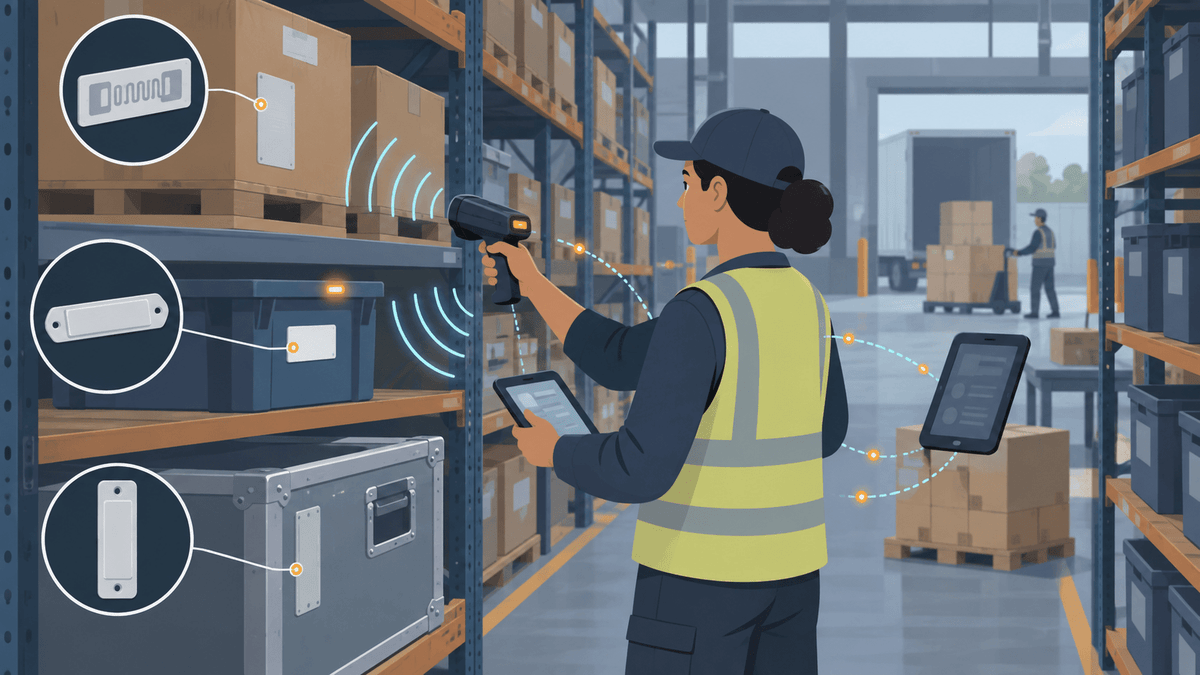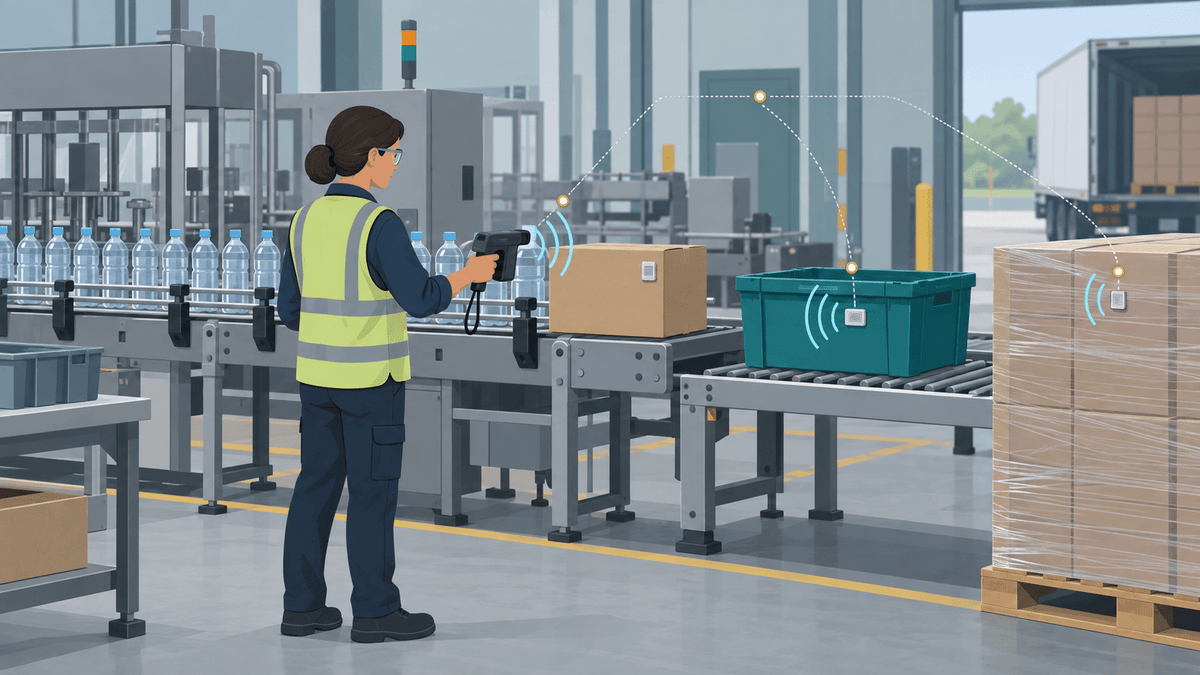


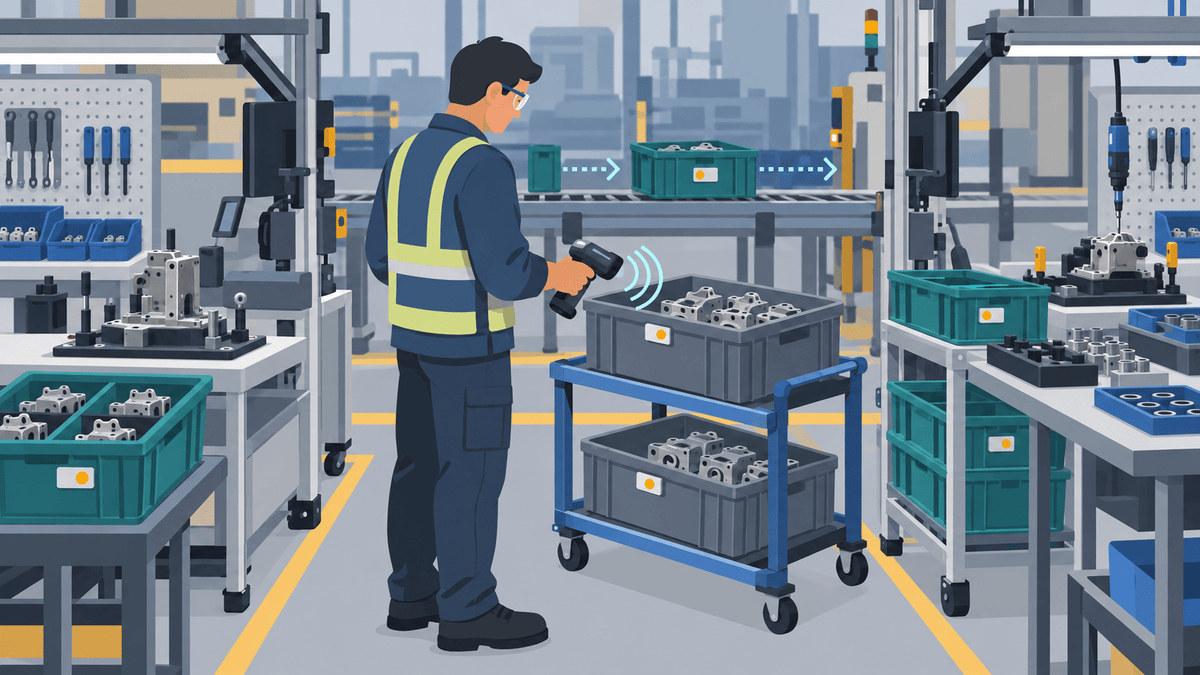
La RFID UHF ayuda a los equipos de fabricación a realizar el seguimiento de artículos en proceso y contenedores reutilizables al asignar a cada unidad en movimiento una identidad única y registrar esa identidad en eventos de producción definidos. Esta guía le muestra cómo elegir el nivel de seguimiento, el tipo de etiqueta, el punto de lectura y la acción del sistema adecuados sin tratar cada lectura de etiqueta como prueba de que un trabajo está completo.
El flujo de trabajo RFID más sólido sigue a la unidad que realmente se desplaza por la producción. Es posible que su equipo necesite rastrear una pieza, un conjunto, una orden de trabajo, un contenedor o una bandeja a medida que avanza por el alistamiento de componentes, la producción, los controles de calidad, el retrabajo, el empaque y el almacenamiento.
Cada punto de lectura también debe representar un evento claro. Un lector puede capturar una identidad, pero su sistema de fabricación debe decidir qué significa esa lectura.
¿Puede la RFID UHF rastrear artículos en proceso y contenedores de producción?
La RFID UHF puede identificar piezas etiquetadas, conjuntos, soportes de órdenes de trabajo, contenedores, bandejas y envases reutilizables en puntos planificados de una línea de fabricación. La tecnología puede leer varias etiquetas adecuadas sin que un operario tenga que apuntar a cada código de barras que esté a la vista directa.
Su sistema de fabricación le da a cada lectura RFID su significado en el proceso. Por ejemplo, un lector en una estación de calidad puede proponer un evento de “control de calidad iniciado”, mientras que un lector en el empaque puede proponer un evento de “listo para empaque”.
Una sola lectura de etiqueta no prueba por sí sola la cantidad, la finalización del proceso, el estado de calidad ni la ubicación exacta. Su flujo de trabajo debe combinar la identidad de la etiqueta con el lector o la estación, la hora, la orden de trabajo, el estado esperado y cualquier confirmación requerida del operario.
Esta diferencia es importante porque el seguimiento RFID de artículos en proceso implica más que pegar etiquetas. Un sistema útil conecta cuatro decisiones:
- Elija la unidad física que necesita una identidad.
- Seleccione una etiqueta que se adapte a la superficie de la unidad y a las condiciones del proceso.
- Coloca un lector en torno a un evento de producción definido.
- Deja que tu software convierta la lectura revisada en la acción de registro correcta.
¿Debes etiquetar la pieza, el ensamblaje, la orden de trabajo, el contenedor o la bandeja?
Etiqueta la unidad física que se mueve de forma independiente y necesita su propio registro de producción o inventario. El nivel de identidad correcto depende de lo que los trabajadores necesiten encontrar, contar, encaminar, verificar o retener.
| Nivel de seguimiento | Qué identifica la etiqueta | Cuándo es adecuado el nivel | Qué no demuestra la etiqueta |
|---|---|---|---|
| Pieza | La etiqueta identifica un componente. | El sistema debe hacer seguimiento de cada componente por separado. | La etiqueta no demuestra que la pieza haya completado una operación. |
| Ensamblaje | La etiqueta identifica un ensamblaje en proceso o terminado. | Varias piezas se mueven juntas como una sola unidad de producción. | La etiqueta no demuestra qué piezas permanecen dentro del ensamblaje. |
| Orden de trabajo o hoja de ruta | La etiqueta identifica un trabajo de producción o un portador de documentos. | El trabajo se desplaza entre estaciones mientras los artículos físicos permanecen agrupados. | La etiqueta no demuestra que cada artículo esperado se desplace junto con el documento. |
| Contenedor, bandeja o recipiente reutilizable | La etiqueta identifica un portador. | Los trabajadores mueven y devuelven el contenedor como un activo reutilizable. | La etiqueta no demuestra el contenido actual del contenedor. |
| Artículo terminado | La etiqueta identifica una unidad completada. | El inventario, el embalaje, el servicio o el envío necesitan un registro de artículo independiente. | La etiqueta no prueba la calidad del artículo ni su estado de envío. |
La identidad de un contenedor y la identidad de un artículo resuelven problemas distintos. Una etiqueta de contenedor indica al sistema qué contenedor llegó a una estación, mientras que las etiquetas de artículo indican al sistema qué piezas individuales o artículos terminados respondieron.
Algunas líneas de producción utilizan ambos niveles de identidad. El software puede vincular los EPC de los artículos a un EPC de contenedor durante la carga, mantener la relación durante el siguiente paso del proceso y eliminar la relación cuando los trabajadores descargan o reasignan el contenido.
Evite etiquetar solo una tarjeta de orden de trabajo cuando el contenedor puede separarse de esa tarjeta. De lo contrario, el sistema seguirá el documento mientras las piezas reales se desplazan a otro lugar.
¿Cómo se debe hacer seguimiento al contenido cambiante en contenedores de producción reutilizables?
Su sistema debe asignar a cada contenedor reutilizable una identidad permanente y actualizar su contenido cada vez que los trabajadores lo carguen, transfieran, vacíen o devuelvan. Este método admite RFID de contenedores reutilizables de fabricación sin pretender que una etiqueta de contenedor siempre represente las mismas piezas.
Un kit fijo puede mantener una relación estable entre el contenedor y los artículos asignados. Aun así, su sistema debe verificar esa relación después de una reparación, un faltante, un reemplazo o un reempaque.
Un contenedor de contenido cambiante necesita una nueva relación de contenido en cada evento de carga. El EPC del contenedor permanece igual, pero los ID de artículos vinculados, la cantidad, la orden de trabajo y el estado del proceso pueden cambiar.
Un portador de un solo artículo puede usar una regla más simple cuando el portador siempre contiene una unidad rastreada. Su software puede vincular el portador a esa unidad al cargar y borrar el vínculo después de descargar.
Su proceso de excepciones debe gestionar contenedores vacíos, contenedores parcialmente llenos, artículos inesperados, etiquetas ilegibles y contenedores que se mueven sin una orden de trabajo vigente. Los trabajadores necesitan una forma rápida de corregir la relación antes de que la siguiente estación la use.
Este artículo se centra en la relación de producción entre artículos, contenedores y eventos. Nuestra guía sobre seguimiento de inventario en contenedores cerca de estanterías metálicas abarca con más detalle las lecturas agrupadas, los efectos de las estanterías y la colocación de contenedores.
¿Qué eventos de fabricación debe registrar cada lector RFID?
Cada lector RFID debe registrar un evento de producción con nombre o proponer una acción de registro clara. Una sola posición de lector no debería representar de forma silenciosa varios pasos que los trabajadores no puedan separar después.
| Punto de producción | Qué captura el lector | Qué puede proponer el sistema | Qué puede necesitar confirmación |
|---|---|---|---|
| Emisión de materiales | El lector captura la pieza, el kit, el contenedor o la orden de trabajo emitidos. | El sistema puede proponer un evento de emisión a la orden. | Un trabajador puede necesitar confirmar la cantidad y el estado. |
| Finalización del kit | El lector captura el kit completado o su grupo de artículos. | El sistema puede proponer que el kit está listo para producción. | El sistema debe comparar las identidades esperadas y las capturadas. |
| Entrada a la estación | El lector captura la unidad que entra en una zona controlada. | El sistema puede proponer un evento de llegada a la estación. | El flujo de trabajo debe rechazar las lecturas de estaciones vecinas. |
| Finalización de la operación | El lector captura la unidad en el punto de finalización. | El sistema puede proponer el siguiente estado del proceso. | Es posible que un operador o una máquina tengan que confirmar la finalización. |
| Retención por calidad | El lector captura la unidad o el contenedor retenidos. | El sistema puede proponer un evento de ubicación de retención o de estado de retención. | Una persona calificada debe confirmar la decisión de calidad. |
| Transferencia de retrabajo | El lector captura la unidad que entra a retrabajo. | El sistema puede proponer un evento de enrutamiento de retrabajo. | El flujo de trabajo debe confirmar el motivo correcto y la orden de trabajo. |
| Finalización del empaque | El lector captura el artículo, el paquete o el contenedor. | El sistema puede proponer un evento de empaque. | El sistema debe comparar la identidad capturada con el pedido. |
| Transferencia de artículo terminado | El lector captura la unidad terminada que sale de producción. | El sistema puede proponer una transferencia al inventario de productos terminados. | El proceso de negocio debe confirmar la aceptación y la cantidad. |
| Devolución de contenedor vacío | El lector captura el contenedor o la bandeja que se devuelven. | El sistema puede proponer un estado vacío y disponible. | Es posible que un trabajador necesite confirmar que el contenedor está vacío y en condiciones de uso. |
La ubicación del lector debe coincidir con la acción física. Un lector de entrada de estación debe capturar una unidad cuando entra en esa estación, mientras que un lector de empaque debe capturar el artículo o contenedor dentro del área de empaque controlada.
El software debe almacenar suficiente contexto para explicar cada evento. Un registro útil incluye el EPC, el ID del artículo o contenedor, el lector o la estación, la marca de tiempo, la orden de trabajo, el estado esperado, el siguiente estado propuesto y el estado de excepción.
¿Qué etiqueta RFID UHF se adapta a artículos de producción, contenedores y accesorios metálicos?
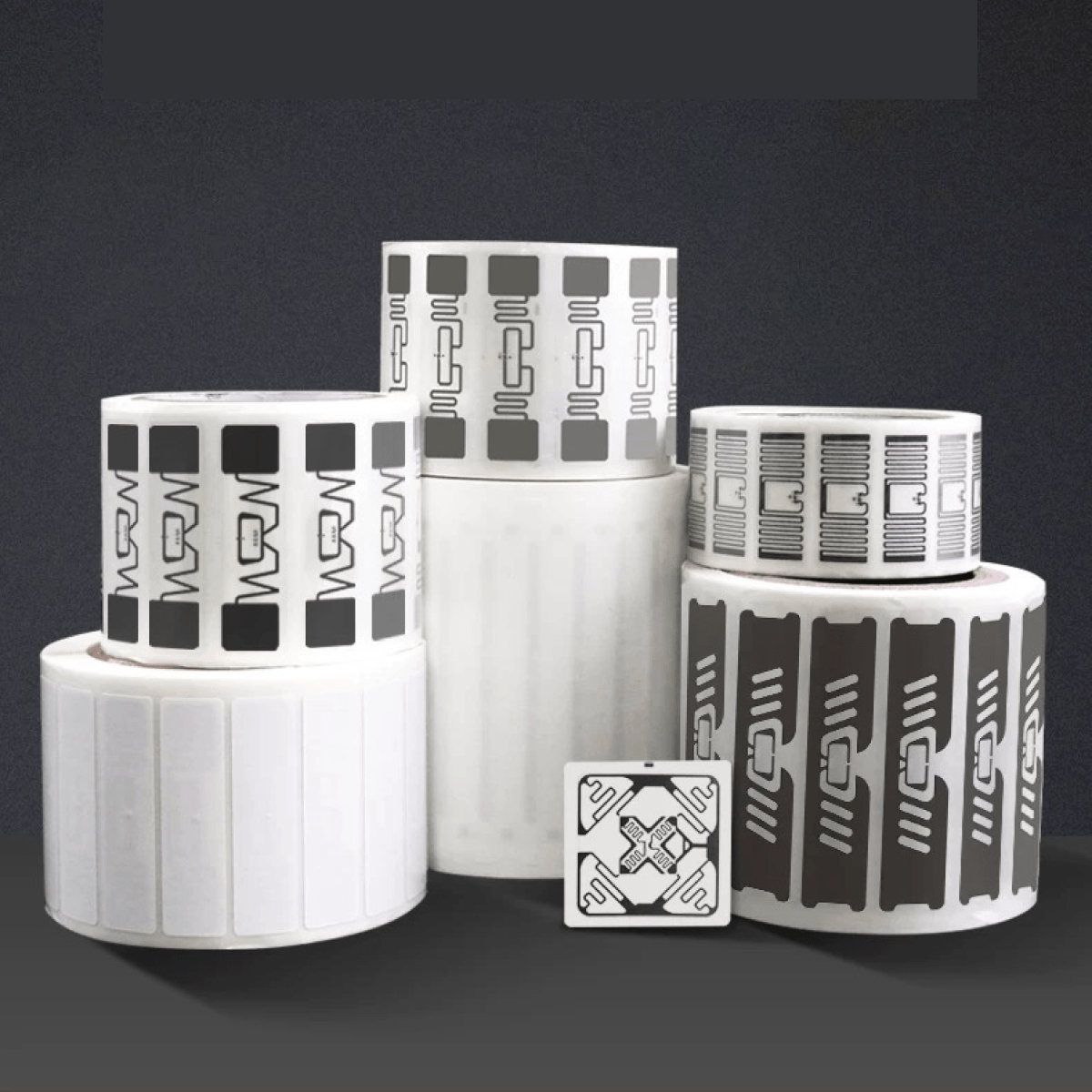
Seleccione cada etiqueta RFID UHF en función de la superficie de montaje, el espacio disponible para la etiqueta, la manipulación, la humedad, el calor y la trayectoria del lector. Una etiqueta general de fabricación no puede cubrir todas las piezas, contenedores, accesorios metálicos y condiciones del proceso.
| Etiqueta | Función inicial práctica | Formato verificado | Lo que su prueba aún necesita responder |
|---|---|---|---|
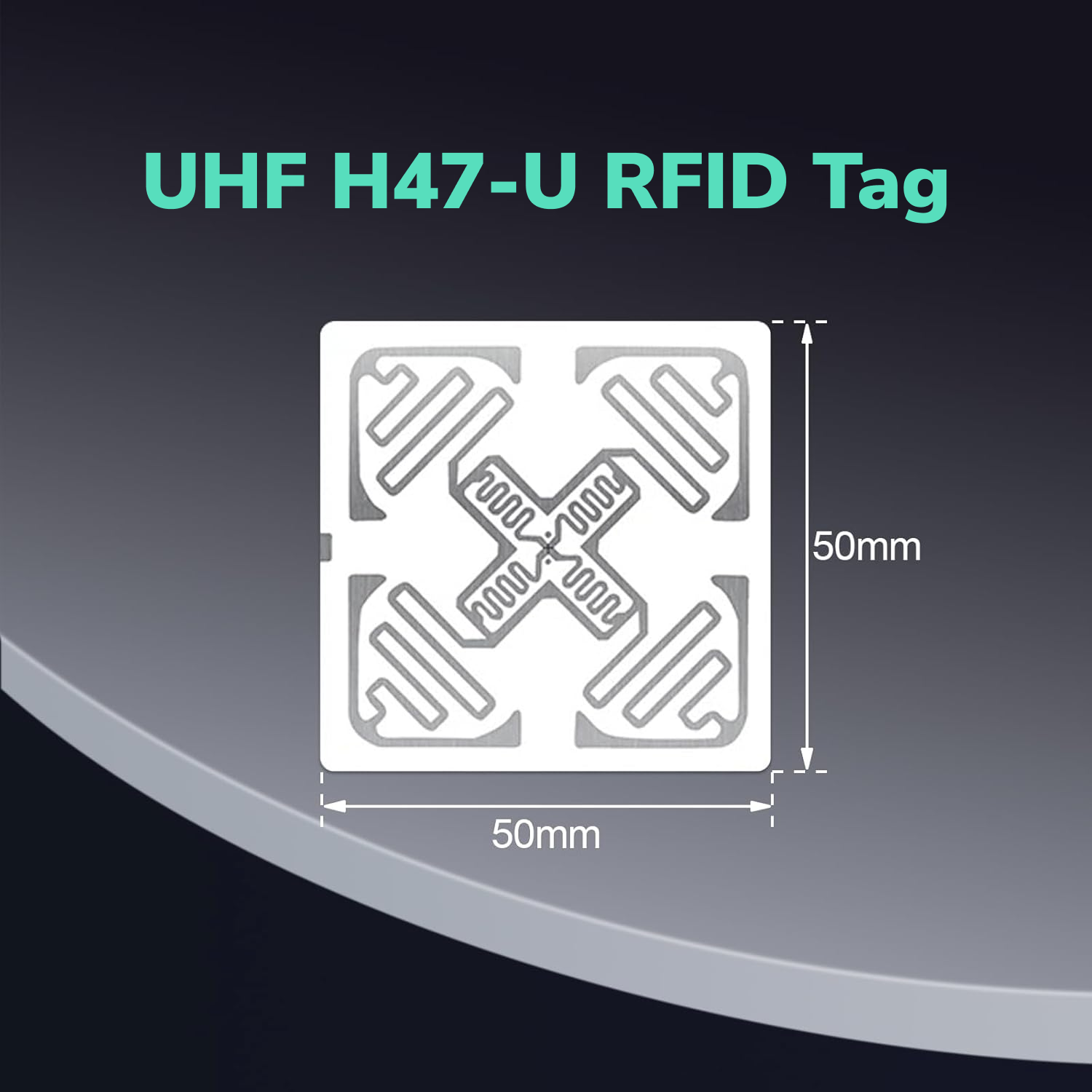
| Etiqueta RFID UHF imprimible H47U | Use H47U como base imprimible para no metales en contenedores de plástico, bandejas, portadores y embalajes adecuados. | La H47U mide 50 mm × 50 mm. | Su prueba debe verificar el contenido, la colocación, la protección, la orientación, el lector y el entorno. |
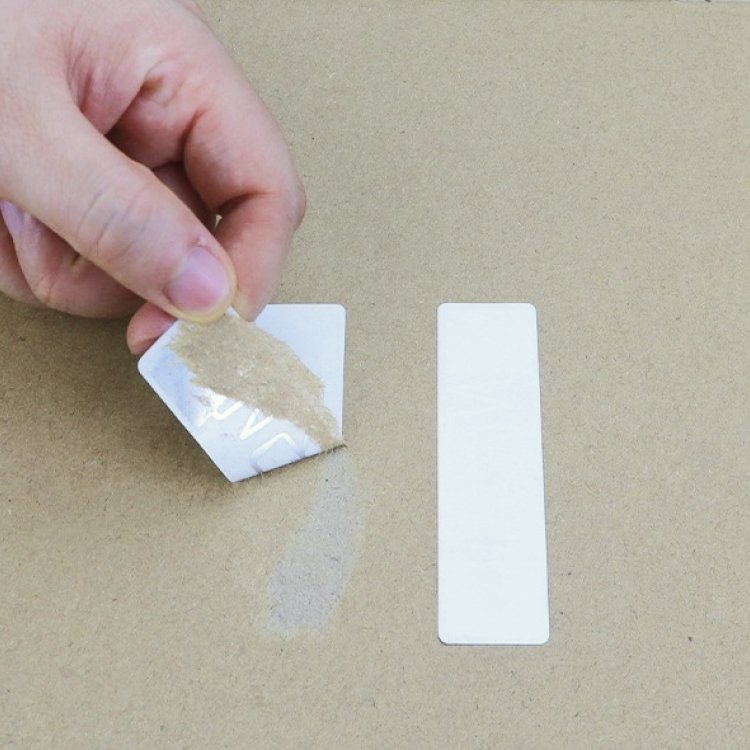
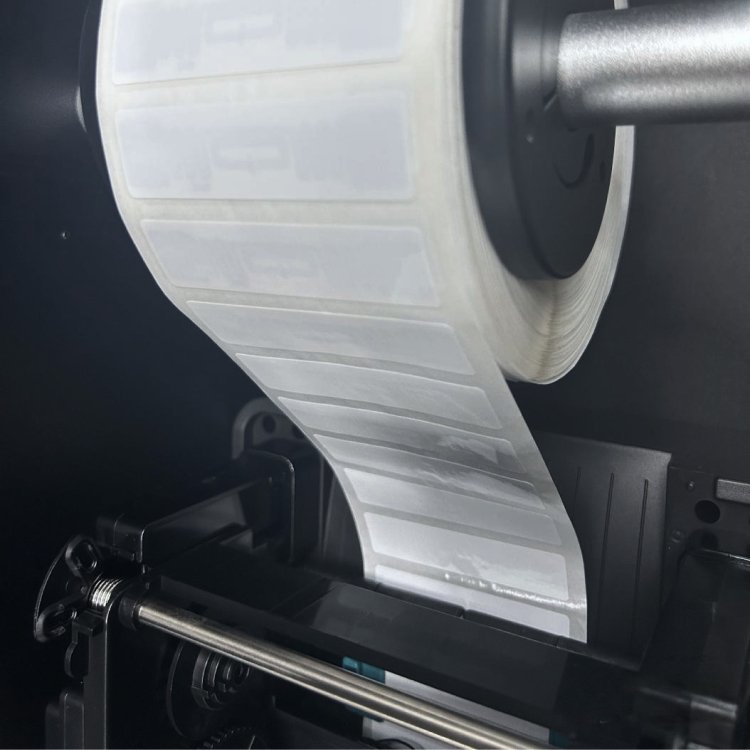
| Inlay RFID UHF imprimible 9662 | Use 9662 cuando una etiqueta estrecha de papel recubierto encaje en un soporte de orden de trabajo, paquete o contenedor no metálico adecuado. | El 9662 mide 73 mm × 20 mm y tiene una superficie imprimible. | Su prueba debe verificar el ajuste a la superficie, la protección de la etiqueta, la impresión, la colocación y la zona de lectura real. |
| Etiqueta RFID UHF para metal PF6025 | Use PF6025 cuando la etiqueta deba adherirse directamente a una pieza metálica, accesorio, estante o equipo adecuado. | PF6025 mide 60 mm × 25 mm × 1.2 mm y utiliza una construcción sobre metal impermeable e imprimible. | Su prueba debe verificar espacio, curvatura, fijación, impacto, orientación y metal cercano. |
| Etiqueta UHF PET7018 impermeable e imprimible | Utilice PET7018 en contenedores no metálicos expuestos adecuados cuando el flujo de trabajo requiera su construcción PET impermeable. | PET7018 mide 73 mm × 21 mm y tiene una superficie imprimible. | Su prueba debe verificar limpieza, productos químicos, abrasión, calor, curva, energía superficial y fijación. |
| Familia de etiquetas UHF anti-metal de alta temperatura para PCB | Utilice la familia de alta temperatura solo después de definir el proceso completo de calor y montaje. | La familia de productos contiene varias construcciones. | Su prueba debe confirmar temperatura, duración, ciclos, presión, humedad, productos químicos y superficie de montaje. |
Nuestra etiqueta H47U tiene un alcance de lectura de hasta 6 m, y nuestra etiqueta 9662 tiene un alcance de lectura de hasta 8 m. La distancia real puede variar según el lector, la antena, la superficie, la orientación, el contenido, la población de etiquetas y el entorno.
Nuestra etiqueta PF6025 tiene un alcance de lectura de hasta 5 m, y nuestra etiqueta PET7018 tiene un alcance de lectura de hasta 12 m. Trate cada número como una referencia de producto y pruebe el candidato en el objeto real con la configuración real del lector.
Una construcción impermeable no prueba automáticamente la resistencia al lavado a presión, a los productos químicos, a la abrasión o al calor. Una familia de productos de alta temperatura también necesita una revisión a nivel de modelo antes de que su equipo someta una etiqueta a un proceso real.
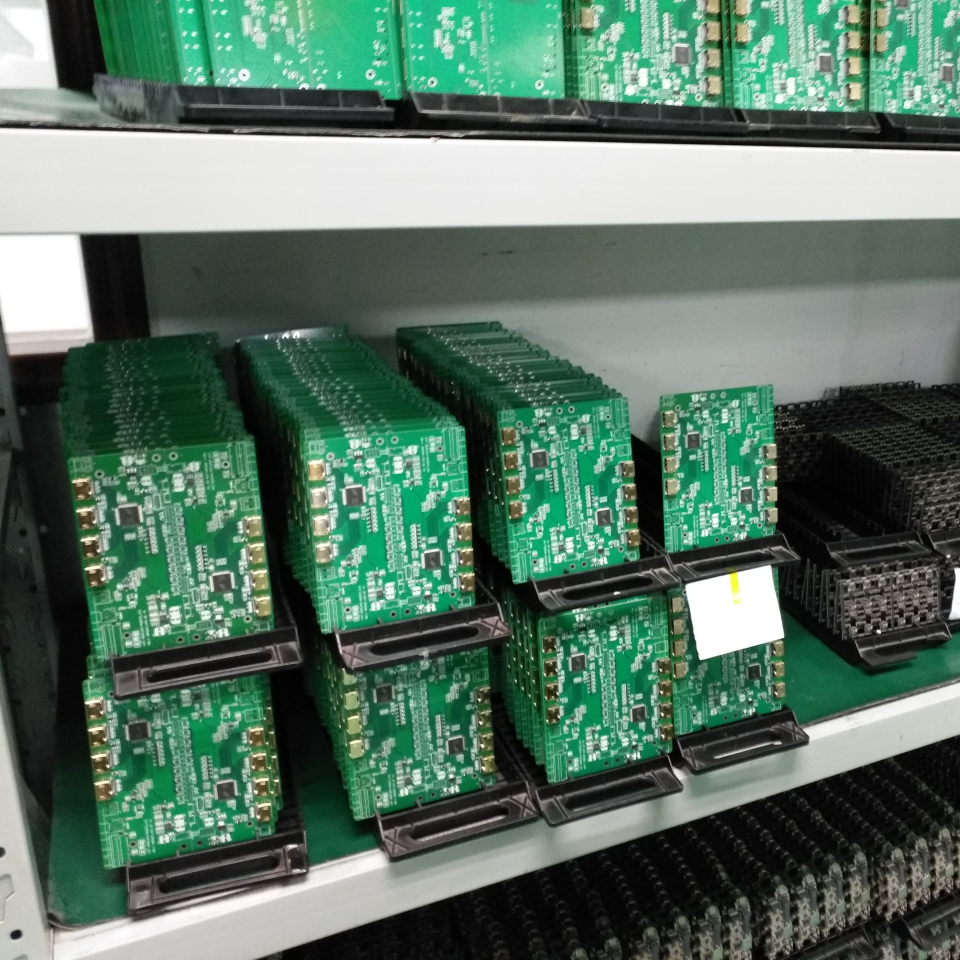
Nuestra guía de inventario de PCB abarca placas pequeñas en bolsas ESD, cubetas de plástico y estanterías metálicas. Esta guía de fabricación se centra en la identidad del WIP, los contenedores reutilizables, los eventos de producción y los registros del sistema.
¿Dónde deberías colocar las etiquetas RFID en las piezas y los contenedores reutilizables?
Coloca cada etiqueta RFID en una posición repetible y protegida que mire hacia la ruta prevista del lector. Una colocación consistente hace que el resultado sea más fácil de comparar entre operarios, estaciones, turnos y cargas de contenedores.
Una pared exterior del contenedor puede dar al lector una ruta de radio más clara y ofrecer a los trabajadores un punto de inspección sencillo. Un bolsillo protector para la etiqueta puede reducir el desgaste, pero su material y su posición pueden cambiar el resultado.
Un portador de orden de trabajo puede sostener una etiqueta imprimible cuando el portador permanece junto a la unidad física. Tu proceso debería evitar que el portador se separe de las piezas o el conjunto que representa.
Un soporte metálico necesita una etiqueta on-metal diseñada específicamente cuando la etiqueta toca el metal directamente. Nuestra guía sobre etiquetas RFID UHF en superficies metálicas explica por qué un inlay estándar y una etiqueta on-metal se comportan de manera diferente.
Tu prueba de colocación debe usar los contenedores cuando estén vacíos y llenos, solos y agrupados, y girados por los ángulos normales de producción. La prueba también debe incluir las manos, los carros, las herramientas, los marcos metálicos, los líquidos y los artículos etiquetados cercanos que aparecen en el flujo de trabajo real.
La guía práctica de RFID RAIN explica cómo los materiales, la orientación de la etiqueta, la población de etiquetas, las personas, la frecuencia y el entorno pueden afectar una zona de lectura. Pruebe el sistema completo en su entorno previsto en lugar de depender solo del rango de referencia de una etiqueta.
Lector portátil, estación de trabajo, transportador o portal: ¿cuál se adapta al evento de producción?
Elija el lector en función de un evento de producción en lugar de elegir el hardware solo por el alcance máximo. Cada método de lectura ofrece al trabajador y al software un nivel de control diferente.
| Método de lector | El método se adapta a esta tarea | El equipo debe controlar este riesgo |
|---|---|---|
| Lector portátil | Un lector portátil admite comprobaciones de excepciones, búsquedas, auditorías y verificaciones flexibles en la estación. | La ruta del operador, la distancia, el ángulo y las lecturas cercanas pueden cambiar entre rondas. |
| Estación de sobremesa o de puesta en servicio | Un lector de sobremesa admite la codificación de etiquetas, la vinculación de artículo y contenedor, y la verificación controlada. | La estación debe evitar capturar material etiquetado fuera del área de trabajo. |
| Estación de trabajo fija | Una estación de trabajo fija admite un evento repetible de entrada a la estación, finalización, retención o empaque. | Las antenas deben separar la acción prevista de la actividad de producción cercana. |
| Lector para transportador | Un lector de transportador admite el movimiento repetido a través de una ruta controlada. | La velocidad, el espaciado, la orientación, el blindaje y la densidad de etiquetas pueden afectar el resultado. |
| Lector de portal | Un lector de portal admite el movimiento de contenedores o artículos a través de una puerta o carril. | El lector debe controlar las etiquetas que esperan junto al portal o se mueven por otro carril. |
Una zona de lectura más amplia no siempre crea un mejor evento de producción. La potencia máxima puede capturar piezas, contenedores o órdenes de trabajo de la siguiente estación de trabajo y crear registros que parecen válidos hasta que alguien verifica el flujo físico.
Su plan de calificación debe registrar la región de operación, el lector, las antenas, la potencia, la velocidad de los artículos, el espaciado, la orientación, la salida del software, los cables, la protección y las lecturas de zonas no deseadas. El plan también debe mostrar qué confirmación humana o de máquina completa el evento cuando una lectura RFID sin procesar no es suficiente.
¿Cómo debe conectarse RFID con un MES, ERP o sistema de inventario?
Su software debe usar cada Código Electrónico de Producto, o EPC, como clave de búsqueda para una identidad física. El sistema de ejecución de fabricación (MES), el sistema de planificación de recursos empresariales (ERP) o la aplicación de inventario deben mantener el artículo, el contenedor, la orden de trabajo, la cantidad, el estado del proceso y el historial.
El GS1 EPC Tag Data Standard define estructuras EPC estandarizadas y los datos transportados en etiquetas RFID RAIN codificadas con EPC. Un proyecto de fabricación de circuito cerrado no siempre necesita un identificador GS1, pero cada proyecto necesita una estructura de identidad única y documentada.
Su flujo de datos puede seguir una ruta simple:
- La etiqueta RFID proporciona el EPC.
- El lector captura el EPC en una estación definida.
- La capa de filtrado elimina las lecturas repetidas o no deseadas.
- La aplicación de fabricación verifica el EPC contra la orden de trabajo y el estado esperados.
- La aplicación propone o registra la acción de producción revisada.
Su sistema debe mantener las lecturas brutas repetidas separadas de los eventos de negocio. Diez respuestas de la misma etiqueta no significan que diez piezas entraron en la estación.
El estándar GS1 EPCIS ofrece a las empresas un modelo opcional para compartir eventos de visibilidad entre aplicaciones. Un evento EPCIS puede describir qué sucedió, cuándo sucedió, dónde sucedió y por qué, pero una línea de circuito cerrado simple puede no necesitar esa arquitectura.
Su plan de integración debe comenzar con el evento de negocio y la ruta de importación, exportación o API disponible del sistema actual. El plan no debe asumir compatibilidad con un producto específico de MES, ERP, lector o middleware hasta que el proyecto lo verifique.
¿Cómo controla las lecturas perdidas y las lecturas de la estación incorrecta?
Configure cada zona de lectura en torno a una acción de producción e investigue cada excepción significativa antes de cambiar un registro de orden de trabajo, inventario o calidad. La lista de excepciones debe separar las identidades perdidas, desconocidas, duplicadas, inesperadas y de zonas vecinas.
Una lectura perdida significa que un EPC esperado no apareció durante el evento. La causa puede incluir la posición de la etiqueta, el blindaje, el daño, la orientación, el momento, la ruta del lector o un artículo que nunca entró en la zona.
Una lectura inesperada significa que un EPC válido apareció en el evento incorrecto. La causa puede incluir exceso de potencia, un patrón de antena amplio, energía reflejada, un contenedor etiquetado cercano o tráfico de producción junto a la estación.
Un EPC desconocido significa que el lector capturó una etiqueta que el sistema no puede emparejar. Ponga en cuarentena o revise esa identidad en lugar de permitir que cree automáticamente un nuevo registro de producción.
Un mapeo duplicado significa que dos registros usan el mismo EPC. Su proceso de datos debe detener el evento y corregir el conflicto de identidad antes de que cualquiera de los registros avance.
Cambie una variable a la vez durante la sintonización. La posición de la antena, la potencia del lector, el blindaje, la colocación de la etiqueta, el espacio entre contenedores y la sincronización del software producen lecciones más claras cuando los ajusta por separado.
Su verificación final debe repetir el flujo de trabajo con operadores, turnos, velocidades, combinaciones de artículos y cargas de contenedores normales. Una sola pasada exitosa no puede demostrar si el evento de producción seguirá siendo repetible.
Un piloto práctico de RFID UHF para una línea de fabricación
Pruebe con un piloto una familia de artículos o contenedores y un evento de producción antes de agregar más estaciones o líneas de producción. Un piloto enfocado facilita separar los problemas de etiquetas, lectores, software y procesos.
- Defina un evento, como la entrada a la estación, la retención por calidad o el retorno de contenedores vacíos.
- Elija si la identidad sigue a una pieza, un ensamblaje, una orden de trabajo, un contenedor, una bandeja o un artículo terminado.
- Mapee cada relación entre artículo y contenedor y entre contenedor y orden de trabajo.
- Agrupe las superficies reales, los espacios para etiquetas, el calor, la humedad, los productos químicos y las condiciones de manipulación.
- Seleccione el conjunto más pequeño y útil de etiquetas candidatas para esos grupos.
- Codifique y verifique un EPC único para cada unidad de muestra.
- Conecte cada EPC con el registro correcto de fabricación o inventario.
- Establezca una línea base simple lejos de estaciones vecinas y materiales difíciles.
- Ejecute el evento real con velocidad, espaciado, orientación y densidad de etiquetas normales.
- Agregue las condiciones difíciles, incluyendo contenedores llenos, metal cercano, personas, líquidos y etiquetas adyacentes.
- Revise las identidades no detectadas, no deseadas, desconocidas y duplicadas antes de modificar los registros comerciales.
- Inspeccione la fijación y el estado de la etiqueta después del manejo normal o la exposición al proceso.
- Repita el evento con diferentes operadores o turnos.
Sus criterios de aprobación deben coincidir con el evento que el piloto necesita respaldar. Las etiquetas previstas deben aparecer dentro de la zona planificada, las lecturas no deseadas deben mantenerse controladas, las relaciones entre artículo, contenedor y orden de trabajo deben permanecer correctas, y los trabajadores deben tener una vía de excepción utilizable.
Su plan de medición puede comparar mano de obra, retrabajo, tiempo de búsqueda y diferencias de inventario con el proceso actual. El piloto debe registrar el resultado observado sin prometer ahorros, retorno de inversión ni rendimiento de toda la línea antes de que existan las pruebas.
Elija muestras de RFID UHF para su trabajo en proceso y contenedores
TagtixRFID puede preparar una combinación de muestras UHF enfocada cuando nos indica qué circula por la producción, dónde irá colocada la etiqueta, cómo se relaciona el contenedor con su contenido y qué evento debe registrar el lector. Una prueba con artículos reales le ayuda a comparar solo las opciones de etiqueta que coinciden con su superficie, manipulación, punto de lectura y objetivo de producción antes de hacer un pedido por volumen.
Solicite muestras gratuitas de etiquetas UHF para fabricación
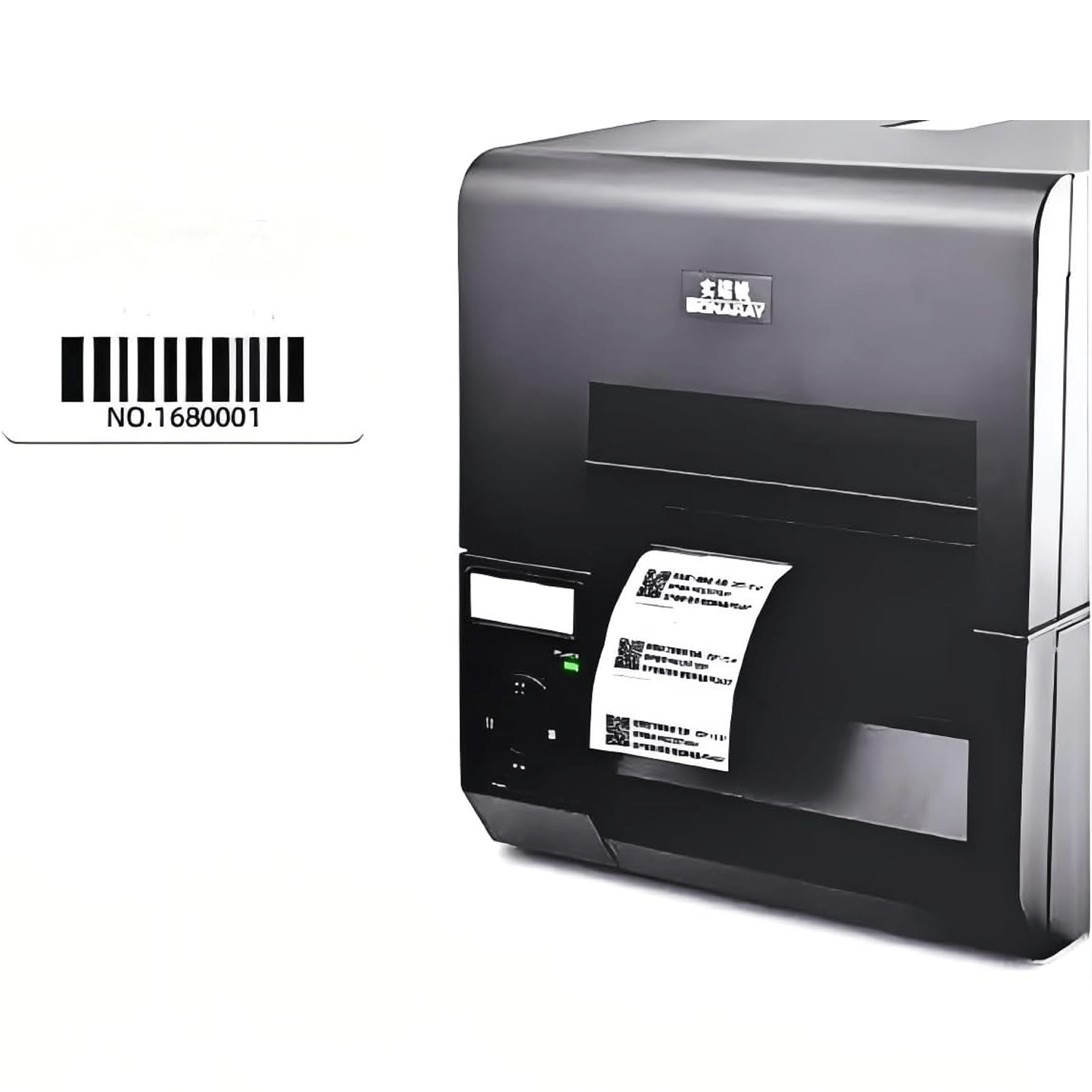
Podemos incluir etiquetas imprimibles para superficies no metálicas, una opción para metal, una alternativa de PET impermeable o una solución para altas temperaturas cuando su proceso lo requiera. También podemos hablar de códigos de barras impresos, números de artículo, logotipos y EPC únicos para el flujo de trabajo de las muestras.
La breve solicitud pide su propósito de seguimiento y su rol en el proyecto. Podemos recopilar por correo electrónico los detalles del artículo, el contenedor, la superficie, el calor, la humedad, el lector, la impresión y el MES o ERP después de que la envíe.
Las muestras de etiquetas UHF son gratuitas y solo cubres el costo de envío.