

Can LED UHF RFID Tags Help You Find Inventory in Warehouse Bins?
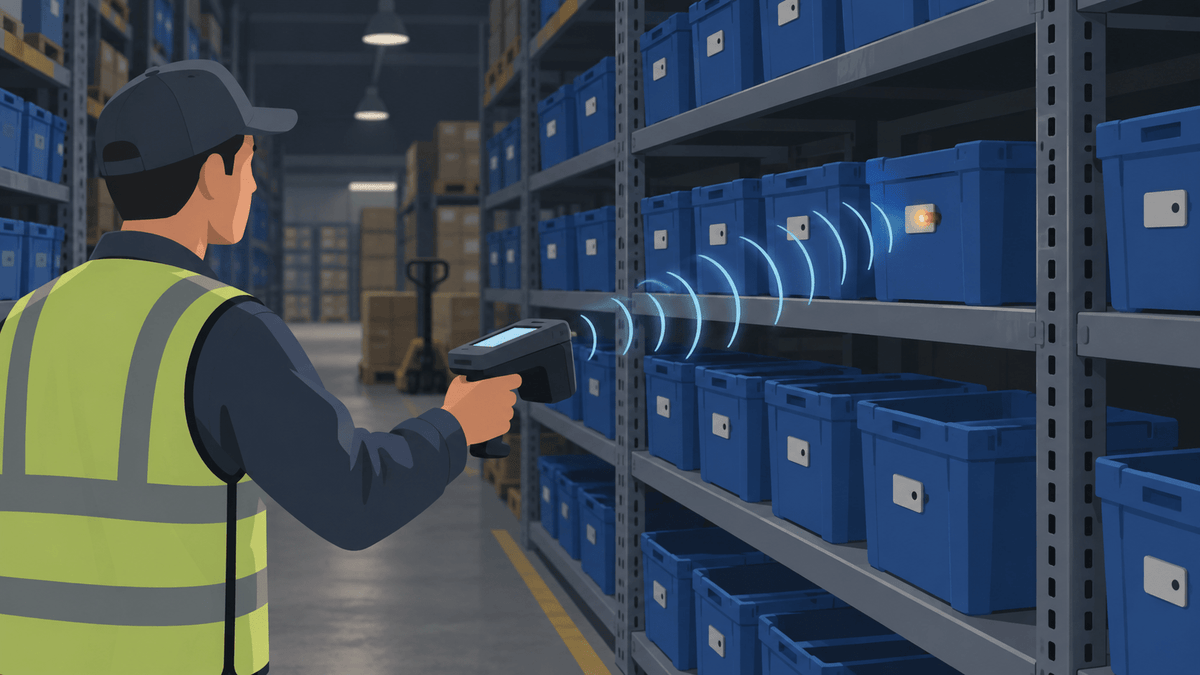
Yes, an LED UHF RFID tag can give workers a visible cue for the bin they selected in the inventory system. The reader and software must support the tag's LED command.
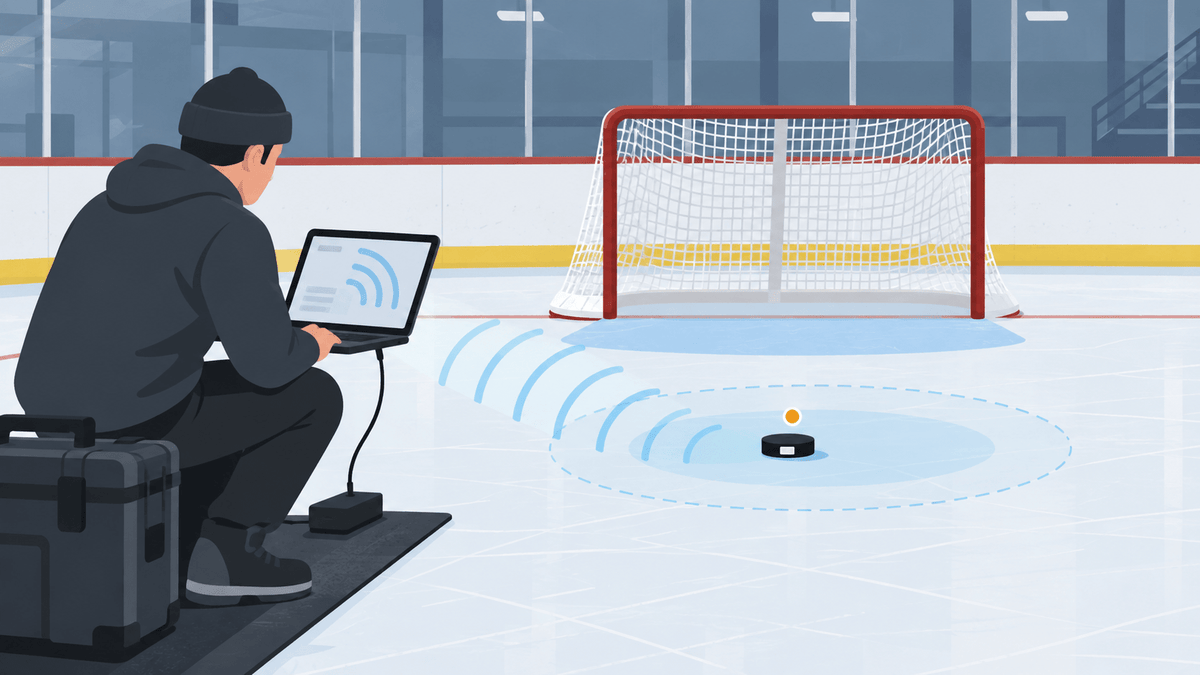
A normal RFID inventory scan can show many Electronic Product Codes, or EPCs, in the area. An LED locating workflow targets one EPC and lights the matching tag so the worker can see which bin to check.
The light identifies the tagged bin or item. It does not automatically prove which untagged products or quantities sit inside that container.
In our warehouse-project conversations, teams often ask how to find one bin among thousands of similar locations, especially in a dim aisle. We recommend pairing the visual cue with accurate bin records, suitable tag placement, and controlled reader coverage.
How Does an LED RFID Inventory-Finding Workflow Work?
We build the workflow around one selected EPC: the UHF reader sends the supported command, and the matching tag lights. The worker then confirms the physical bin before completing the pick, count, or replenishment task.
The basic workflow looks like this:
- Search for the SKU or bin in the warehouse system.
- Select the EPC linked to that record.
- Bring the reader within the tag's working read zone.
- Activate the LED on the matching tag.
- Follow the visible cue to the intended bin.
- Confirm the bin and record the action when needed.
The tag still depends on energy from the reader and a usable UHF signal path. It does not work like a battery-powered light that stays connected at any distance.
Confirm the exact LED command with the reader and software provider. Different readers, firmware versions, and software tools may expose different control methods.
Should the LED RFID Tag Identify the Bin or the Item Inside It?
We recommend tagging the bin when workers search for a storage location. Tag each item only when the system needs a separate identity and visual cue for every item.
| Tracking level | What the LED identifies | What the database must manage |
|---|---|---|
| Bin level | One storage bin or location | SKU, quantity, aisle, rack, and bin contents |
| Item level | One individually tagged item | One EPC and inventory record for each item |
| Bin and item level | The location plus selected individual items | The relationship between each item and its current bin |
One LED on a bin can guide a worker to the right location. The inventory system still needs to show which SKU and quantity should be there.
If the warehouse has about 5,000 SKUs, use that number to plan database records and deployment phases. Do not assume the reader can activate or inventory 5,000 tags at the same time.
Which LED UHF RFID Tag Fits Plastic Warehouse Bins?
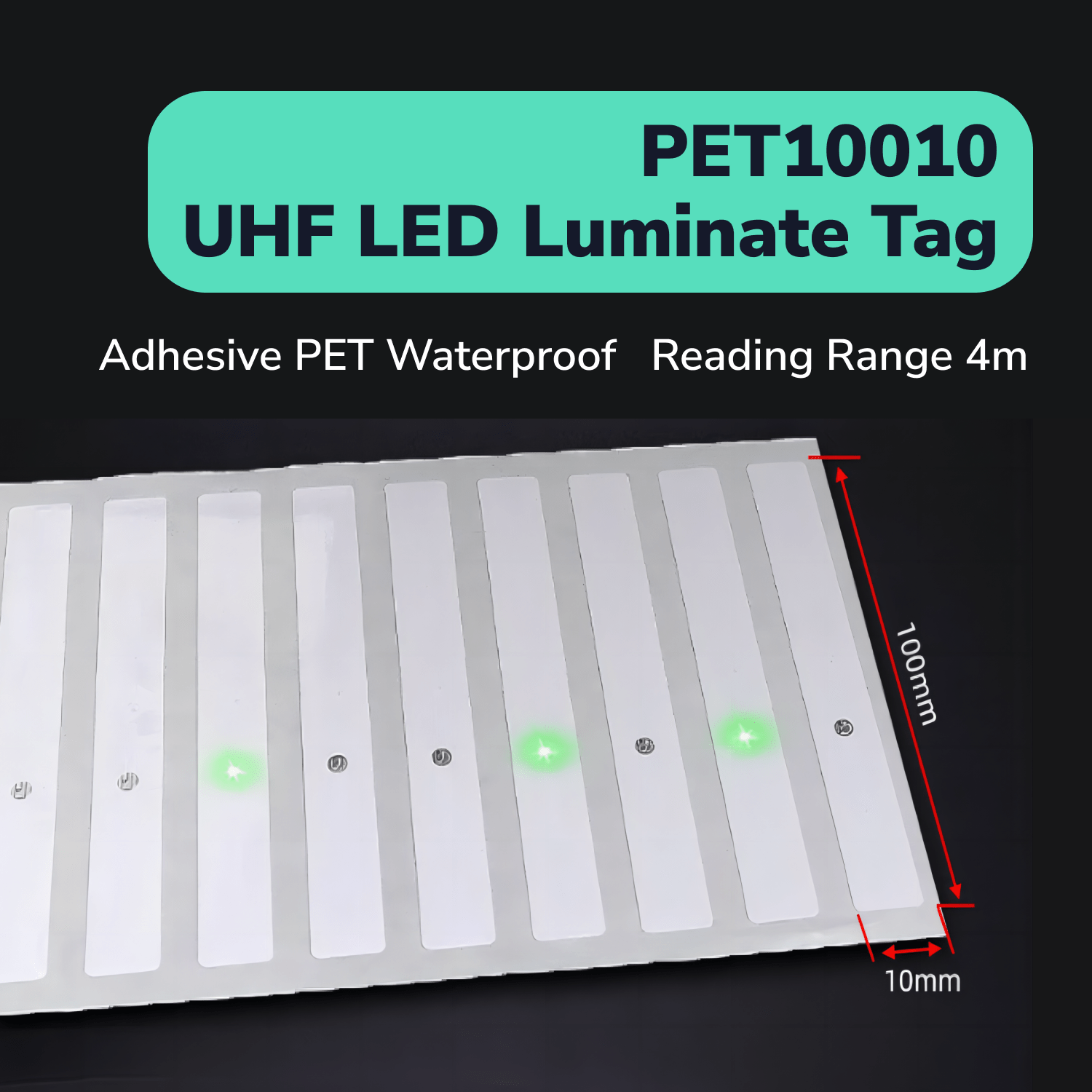
We recommend our PET10010 UHF RFID LED Tag as the main candidate for a visible locating cue on a suitable non-metal bin surface. Its waterproof PET construction gives you a practical label format for a warehouse trial.
The product can support a find-one-tag workflow when the selected reader and software can control its LED. Confirm that function before ordering a larger quantity.
Place samples on the actual bin material rather than a substitute surface. Check the adhesive area, handling, dust, label protection, normal viewing angle, and whether workers can see the light from the aisle.
PET10010 is not an on-metal tag. If the RFID label must attach directly to a metal rack or shelf, treat that as a separate product-selection path.
Where Should You Place an LED RFID Tag on a Warehouse Bin?
We recommend placing the tag where the reader has a clear signal path and the worker can see the LED from the normal aisle or picking position. Use the same location on every similar bin so the process stays easy to follow.
A front position may give workers the clearest view. A side position may fit bins with a narrow front face, but the rack or neighboring bin can block the light.
A rim or label-holder position may protect the tag from rubbing against inventory. It can also bring the tag closer to a metal shelf lip, so check the full rack position before choosing it.
Keep PET10010 away from direct metal contact. Also check whether the bin contents, metal shelving, nearby containers, or a worker's body blocks the signal or hides the LED.
How Do Metal Shelves Affect LED RFID Bin Finding?
Metal shelves can reflect or block UHF energy, so an LED tag may behave differently after you place the bin in its real rack position. The rack can create strong areas, weak spots, and reads from neighboring bays.
Test the bin on the upper, middle, and lower shelves that workers normally use. Repeat the check with nearby bins empty, full, and arranged at normal warehouse density.
Tune the reader around the intended aisle or bin instead of chasing the longest possible range. More power can increase unwanted reads and make it harder to isolate one location.
Our guide to using UHF RFID tags around metal surfaces explains why metal changes UHF behavior. Keep PET10010 on the non-metal bin rather than treating it as a direct-on-metal shelf label.
The RAIN Alliance field guide also explains how metal, tag direction, nearby tag populations, and the real environment affect a RAIN RFID read zone.
Will Your UHF Reader and Software Turn On the LED?
We always recommend confirming LED control before ordering because a normal EPC inventory read does not prove that your reader and software can activate the light. The LED command is a technical gate for the complete workflow.
Ask the provider to confirm the reader manufacturer and model, firmware, regional band, SDK or API, software platform, and exact LED command. Keep a record of the supported command and any timeout or repeat behavior.
Run a simple proof before testing the full aisle:
- Read the tag's EPC.
- Select only that EPC in the software.
- Turn on the LED.
- Stop the LED.
- Add nearby tags and repeat the same action.
Do not assume compatibility from frequency alone. The reader must support the tag's LED function, and the software must expose the right command.
How Do You Connect Each LED Tag with the Correct SKU or Bin?
We recommend encoding one unique EPC and mapping it to the bin or item record that workers search. Keep the SKU description, quantity, aisle, rack, bin, and replenishment status in the warehouse database.
If the tag represents a bin, let the software manage which products belong in that location. If the tag represents an item, give every tagged item its own record.
Add a worker confirmation step after the LED points to the bin. Lighting a tag should guide the search, not silently change the stock quantity or mark an order complete.
The GS1 EPC Tag Data Standard defines standardized options for EPC structures. A closed-loop warehouse can use its own documented identifier structure when it does not need a GS1 identity.
How Can You Keep the Wrong Bins from Lighting or Reading?
We recommend targeting one EPC and narrowing the read zone before checking neighboring bins at normal rack density. The useful result is one clear visual answer, not the largest possible list of RFID reads.
Start with one target tag. Add the bins beside it, fill the rack, and repeat the search from the positions workers use during a normal shift.
Record whether the correct LED activates, how quickly the worker sees it, which unrelated EPCs appear, and whether any nearby LED responds. Repeat the check after bins move or contents change.
Lowering reader power or changing the antenna angle may create a cleaner search zone. Maximum power can produce more cross-reads without making the locating task easier.
A Practical LED RFID Pilot for a Dark Warehouse
We recommend testing one representative aisle with the real bins, contents, metal shelves, lighting, reader, and software. A controlled pilot will show whether the LED workflow fits before you expand it across thousands of SKUs.
- Decide whether each tag represents a bin or an individual item.
- Choose upper, middle, lower, near-metal, and hard-to-see locations.
- Place PET10010 consistently on suitable non-metal bin surfaces.
- Encode each sample with a unique EPC.
- Map every EPC to the correct bin or SKU record.
- Confirm normal EPC inventory reads.
- Confirm that the software can activate and stop the target LED.
- Add neighboring tagged bins and check for unwanted activation.
- Repeat the search from normal aisle positions in regular and dim lighting.
- Inspect attachment, visibility, and database records after normal handling.
Set the pass rules before the pilot starts. The correct EPC should map to the correct record, the intended LED should activate consistently, nearby LEDs should stay controlled, and workers should see the cue from the planned search position.
Do not treat one successful search as a complete warehouse result. Repeat the workflow with different rack positions, contents, operators, and normal inventory changes.
Find the Right Bin Before You Order LED RFID Tags in Volume
You should know whether one selected EPC can light the right bin in your real aisle before you expand the system. Tell us about the bins, metal shelves, warehouse lighting, reader, and software so you can check placement, visibility, and LED control with a focused sample.
Apply for Free LED UHF Warehouse Tag Samples
We can prepare PET10010 samples with unique EPCs for your bin records and review the reader details needed for the LED workflow. Start with one representative aisle, then use the results to decide whether the setup fits a larger rollout.
The UHF tag samples are free. You only cover shipping.