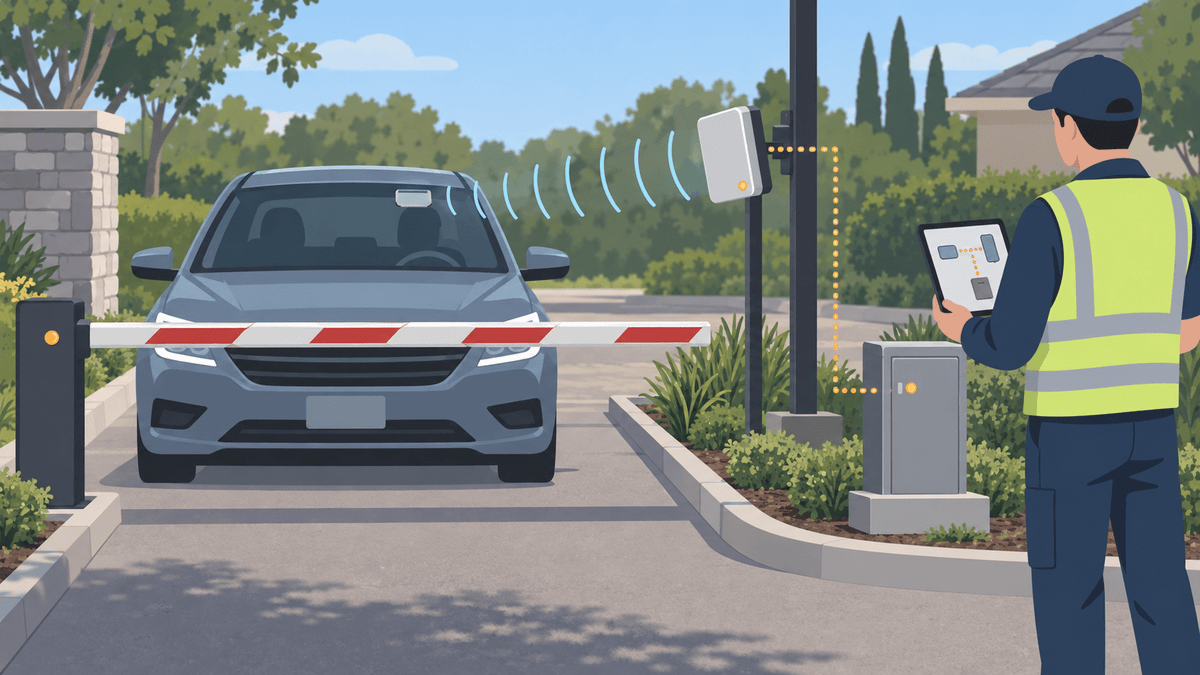
Une étiquette RFID UHF de pare-brise peut identifier un véhicule autorisé à un portail résidentiel lorsque l'étiquette, le lecteur, le format d'identification, le contrôleur, le logiciel, la voie et le processus d'enrôlement fonctionnent tous ensemble. Ce guide montre aux équipes de la propriété comment vérifier ce parcours complet, poser l'étiquette, gérer les identifiants des résidents, traiter les remplacements et mener un pilote sécurisé sur une seule voie.
Le fait que le lecteur détecte une étiquette n'ouvre pas automatiquement le portail. Le système de contrôle d'accès doit reconnaître l'identifiant, confirmer son statut et ses autorisations, puis utiliser les commandes existantes du portail et de sécurité pour prendre la décision finale.
Une étiquette RFID UHF de pare-brise peut-elle ouvrir un portail résidentiel pour véhicules ?
Un lecteur UHF compatible peut détecter l'identité d'une étiquette de pare-brise, mais le système de contrôle d'accès doit associer et autoriser cette identité avant que le contrôleur puisse déclencher le processus du portail. Chaque élément du système doit transmettre correctement l'information à l'élément suivant.
Le processus complet s'étend de l'étiquette apposée sur le pare-brise au lecteur de voie, en passant par la connexion du lecteur, le contrôleur d'accès, le logiciel d'enregistrement, la règle d'autorisation ou de refus, et les commandes du portail. La détection de l'étiquette seule ne permet pas de prouver l'identité du conducteur, la validité du badge ni le bon fonctionnement du portail en toute sécurité.
Quelles sont les pièces qui doivent correspondre entre l'étiquette de pare-brise et le système de portail existant ?
Avant de commander des étiquettes en grande quantité, veuillez vérifier la fréquence de lecture, le protocole d'étiquetage, le champ mémoire, le format des identifiants, la sortie du lecteur, l'entrée du contrôleur, la méthode d'enregistrement et les règles logicielles. Une simple incompatibilité peut permettre au lecteur de détecter une étiquette alors que le système de contrôle d'accès la rejette.
| couche système | Question à confirmer |
|---|---|
| Région et fréquence radio | Le lecteur fonctionne-t-il dans la bande UHF approuvée pour le pays d'installation ? |
| Protocole d'étiquetage | Le lecteur prend-il en charge le protocole d'interface radio UHF de l'étiquette ? |
| Champ de mémoire | Le système lit-il l'EPC, la mémoire utilisateur ou un autre champ ? |
| Format des justificatifs | Comment le logiciel transforme-t-il la valeur lue en une authentification valide ? |
| Sortie du lecteur | Le lecteur envoie-t-il des données via la connexion attendue par le contrôleur ? |
| Entrée du contrôleur | Le contrôleur peut-il accepter et interpréter correctement cette sortie ? |
| Inscription | Le personnel peut-il ajouter, activer, faire expirer, révoquer et remplacer l'identifiant ? |
| Règles d'accès | Le groupe de véhicules, l'horaire, la voie et le statut sont-ils corrects ? |
EPC, mémoire utilisateur, code d'établissement, numéro de carte, Wiegand, OSDP et numéro imprimé désignent différentes couches du système. Ces termes ne sont pas interchangeables.
Le protocole d'interface radio GS1 UHF Gen2 décrit la communication entre les étiquettes UHF compatibles et les lecteurs. Il ne définit pas le mappage des identifiants ni les règles d'accès de votre site.
Pourquoi le lecteur peut-il détecter l'étiquette mais refuser quand même l'accès ?
Le lecteur peut détecter une réponse UHF valide tandis que le contrôleur ou le logiciel rejette l'identifiant. L'enregistrement peut être manquant, mal formaté, inactif, dupliqué, expiré, révoqué ou non autorisé pour cette voie ou cette plage horaire.
Vérifiez le système dans l'ordre : confirmez la lecture de l'étiquette, confirmez le champ envoyé par le lecteur, confirmez le format transmis, confirmez l'entrée du contrôleur, puis confirmez l'enregistrement enrôlé et la règle d'accès. Ne consignez pas les vrais codes de site, numéros de carte, EPC et informations sur les résidents dans les journaux de dépannage publics.
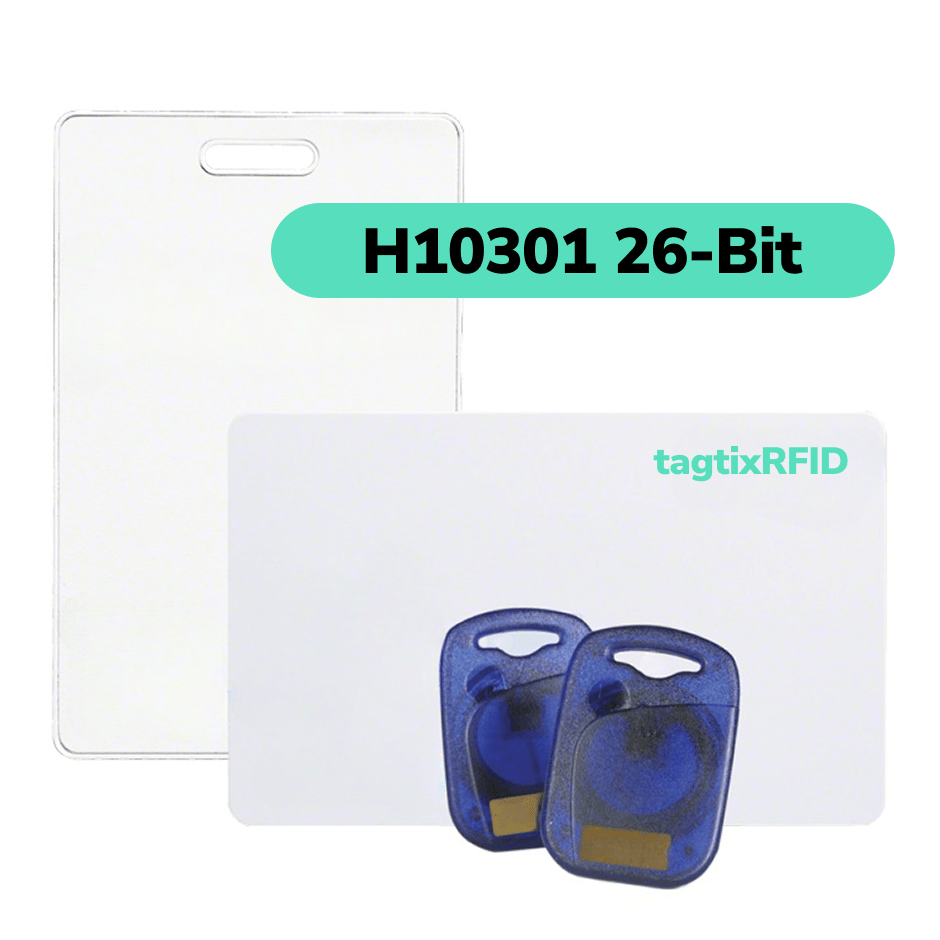
Si le système actuel utilise l'ancien Wiegand 26 bits, notre guide sur le Wiegand 26 bits peut vous aider à comprendre le format. Votre installateur ou fournisseur de système doit tout de même vérifier la configuration exacte du lecteur, du contrôleur et de l'enrôlement.
Où placer l'étiquette de pare-brise et comment façonner la zone de lecture du portail ?
Utilisez une position approuvée à l'intérieur du pare-brise et réglez le lecteur autour de la zone d'approche ou d'arrêt prévue. Une position constante facilite l'enrôlement, le remplacement, les instructions aux résidents et les tests de voie.
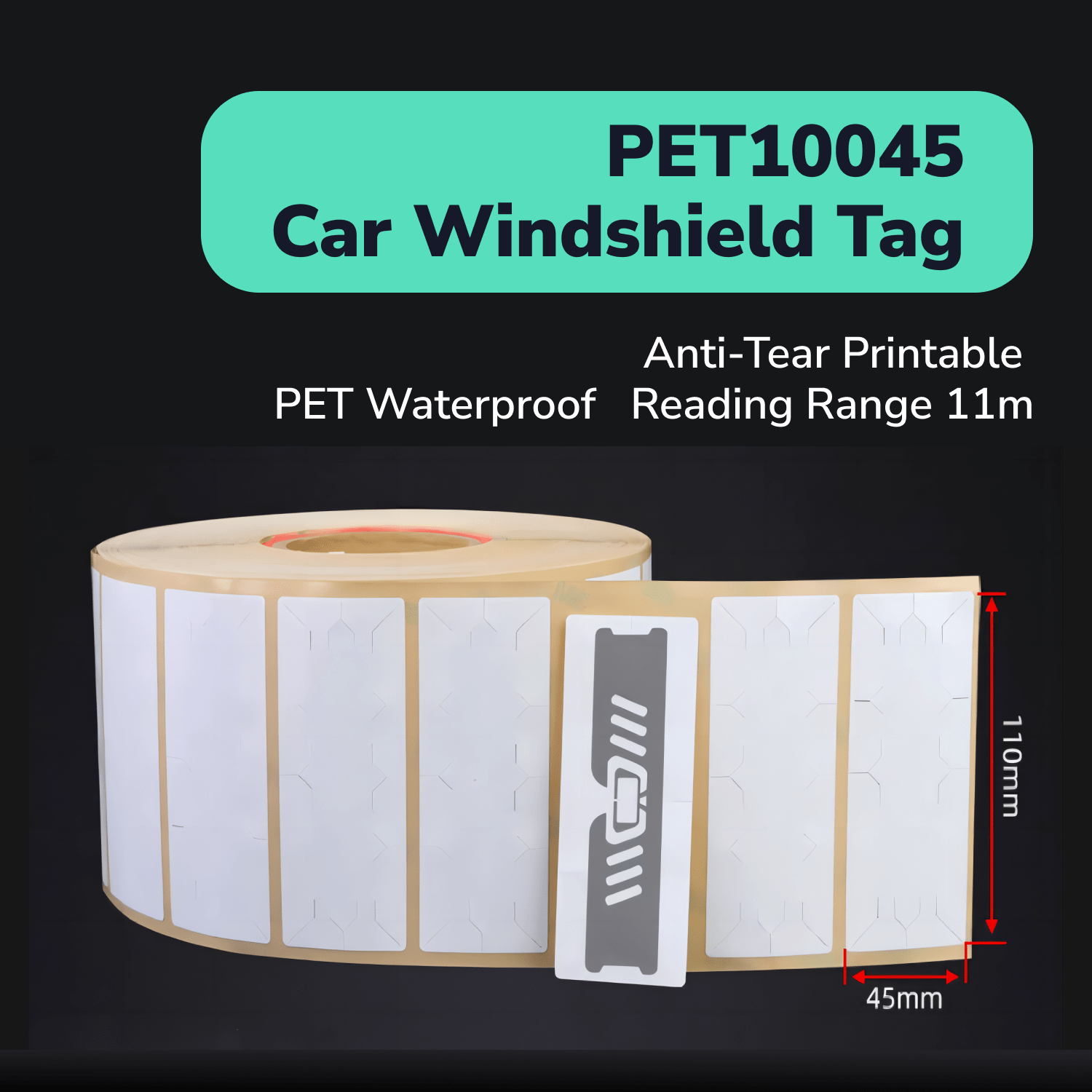
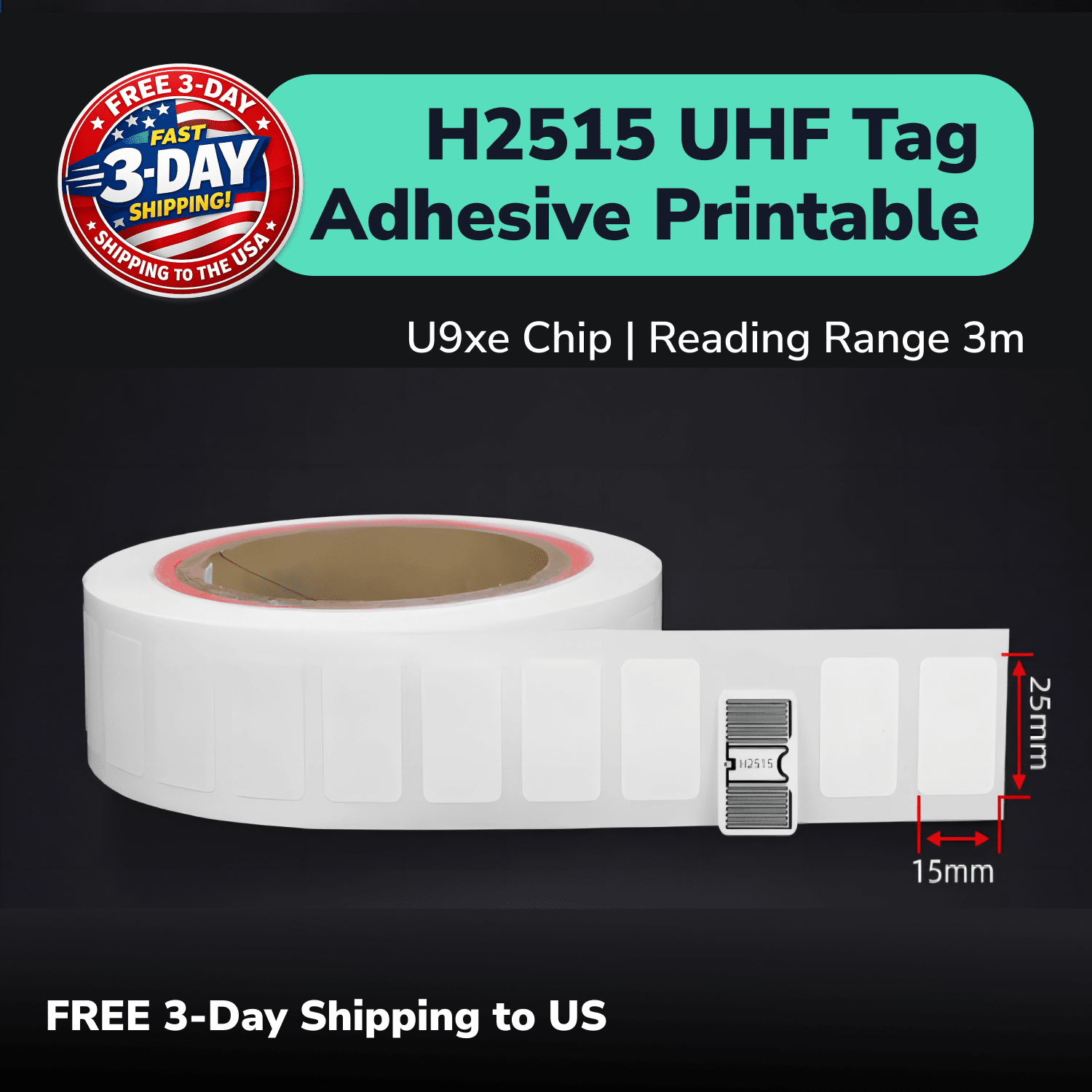
Utilisez le PET11045 badge de pare-brise UHF comme candidat échantillon principal pour une identification de véhicule appropriée à travers le verre. Testez-le sur des pare-brises représentatifs, car le revêtement, la teinte, les éléments chauffants, les rétroviseurs, l'angle du véhicule et la construction du verre peuvent modifier les performances.
Réglez la voie en fonction de la hauteur de montage, du sens de circulation, de la position d'arrêt, de la vitesse, de l'angle du lecteur, de la puissance, du blindage, de la météo et des files d'attente. Enregistrez les lectures précoces, tardives, répétées, transvoies, en bord de route et manquées au lieu de juger le système uniquement sur la portée maximale.
Comment une association de propriétaires ou une propriété doit-elle délivrer et activer les badges de véhicule ?
Attribuez à chaque justificatif de pare-brise un enregistrement unique, un émetteur approuvé, une relation avec le véhicule, une date d'activation, un statut et une règle d'autorisation. Laissez le système de contrôle d'accès conserver les détails du résident et du véhicule, tandis que le badge ne porte que l'identité minimale dont le système a besoin.
Définissez quel rôle du personnel peut approuver et enregistrer les badges. Vérifiez les justificatifs en double et les enregistrements de véhicule en double avant l'activation.
Utilisez un transfert reproductible : vérifiez la demande approuvée, attribuez le justificatif, enregistrez la relation avec le véhicule, appliquez le badge dans la position approuvée, activez-le et confirmez le résultat dans la voie prévue. Conservez un registre d'audit indiquant qui a réalisé chaque étape.
Comment la propriété doit-elle remplacer et révoquer les justificatifs de pare-brise ?
Révoquez ou retirez l'ancien justificatif d'accès avant d'activer son remplacement. Consignez le motif, l'ancienne identité, la nouvelle identité, la date et le membre du personnel responsable dans le système de contrôle d'accès.
Appliquez la même procédure pour les badges endommagés, les justificatifs perdus, le remplacement de pare-brise, la vente d'un véhicule, le départ d'un locataire, les comptes suspendus et les véhicules secondaires. Ne laissez pas les anciens et les nouveaux justificatifs actifs par accident.
Indiquez aux résidents comment demander un remplacement et quelles informations sont nécessaires au personnel. Un processus simple et documenté réduit les retards d'assistance sans affaiblir les contrôles d'approbation.
Comment les résidents, visiteurs, entrepreneurs et membres du personnel doivent-ils utiliser différentes règles d'accès ?
Attribuez à chaque groupe d'utilisateurs son propre type de justificatif, son parcours d'approbation, son horaire autorisé, sa règle d'expiration et son processus d'assistance. Un flux de travail pour résidents permanents ne doit pas s'appliquer automatiquement aux visiteurs, entrepreneurs, fournisseurs, membres du personnel ou exceptions de livraison.
| Groupe | Règle utile |
|---|---|
| Résidents | Relation de véhicule approuvée et examen continu du statut |
| Visiteurs | Approbation temporaire et expiration claire |
| Entrepreneurs ou fournisseurs | Horaire limité, plage de dates ou voie approuvée |
| Personnel | Approbation basée sur le rôle et révocation rapide en cas de changement d'emploi |
| Livraisons et exceptions | Processus distinct : interphone, gardien, réservation ou traitement manuel |
Les badges de pare-brise ne remplacent pas la politique relative aux visiteurs, les contrôles d'identité, les interphones, les gardiens ni les autres contrôles exigés par la propriété. Ils fournissent un élément d'identification de véhicule au sein du programme d'accès global.
Quels contrôles de sécurité et de confidentialité doivent figurer dans le programme d'accès des véhicules ?
Traitez l'étiquette UHF comme une seule entrée d'identifiant et protégez les données des résidents, des véhicules, des accès et des événements au sein du système d'accès autorisé. Utilisez une identité de référence sur l'étiquette lorsque le système n'a pas besoin d'informations personnelles dans la mémoire de l'étiquette.
Appliquez un accès basé sur les rôles, une sécurité renforcée pour les administrateurs, des journaux d'approbation, des contrôles des doublons, des mécanismes de révocation, une conservation appropriée des événements et un examen des incidents. Limitez chaque membre du personnel aux accès et aux actions nécessaires à son rôle.
The Le guide OSDP de la Security Industry Association explique une norme de communication entre le lecteur et le contrôleur. La prise en charge d'OSDP ne chiffre pas automatiquement une étiquette de pare-brise et ne prouve pas que chaque composant de votre système de portail respecte cette norme.
Comment le personnel doit-il gérer les identifiants illisibles, non autorisés ou en double ?
Fournissez au personnel une procédure manuelle sécurisée pour les étiquettes illisibles, les véhicules refusés, les enregistrements en double, les identifiants révoqués, les étiquettes endommagées, l'assistance aux résidents et les pannes de portail. Le personnel doit savoir quand vérifier un enregistrement, délivrer un remplacement, appeler un installateur ou faire passer un véhicule par une procédure alternative approuvée.
Gardez l'identification RFID distincte des capteurs de présence de véhicule, des boucles de sécurité, des contrôleurs de portail, des caméras, des interphones et des procédures d'exploitation. Ne publiez pas les étapes de contournement, les réglages sensibles des voies ni les détails privés d'escalade.
Passez régulièrement en revue les exceptions. Des lectures manquées répétées peuvent indiquer un problème de positionnement sur le pare-brise ou de conception de la voie, tandis que des refus répétés peuvent indiquer des règles d'enrôlement, de formatage, de statut ou d'autorisation.
Un pilote RFID UHF pratique pour une voie de portail résidentiel
Testez à titre pilote des véhicules représentatifs approuvés dans une seule voie avant d'émettre ou de remplacer des identifiants sur l'ensemble de la propriété. Un pilote ciblé vous aide à identifier les problèmes de radio, d'identifiants, de voie, de flux de travail et d'assistance tout en gardant le groupe gérable.
- Documentez le lecteur, le contrôleur, le logiciel, le portail et le système de sécurité actuels.
- Confirmez la région radio approuvée, la fréquence du lecteur et le protocole de l'étiquette.
- Vérifiez le champ mémoire, le mappage des identifiants, la sortie et le parcours d'enrôlement.
- Choisissez une zone de pare-brise approuvée et enrôlez un petit ensemble de véhicules.
- Établissez des lectures à l'arrêt avant d'ajouter la vitesse d'approche normale et les files d'attente.
- Comparez des types représentatifs de pare-brise et de véhicules.
- Testez le comportement des voies adjacentes et enregistrez chaque lecture précoce, tardive, répétée ou manquée.
- Vérifiez les parcours d'autorisation, de refus, de révocation, d'expiration et de remplacement.
- Examinez la charge de travail du personnel, les instructions aux résidents, les journaux et la gestion des exceptions.
Ne validez le pilote que lorsque les lectures sur la voie prévue se répètent, que les lectures des voies voisines restent maîtrisées, que les identifiants sont correctement associés, que les enregistrements d'autorisation et de refus restent exacts et que les commandes existantes du portail fonctionnent en toute sécurité. Un seul passage de véhicule réussi ne prouve pas que chaque pare-brise, chaque voie ou chaque condition d'exploitation fonctionnera.
Les RAIN RFID System Design Guidelines fournissent des indications de planification supplémentaires pour la construction d'un système RFID complet. Votre fournisseur de contrôle d'accès doit néanmoins vérifier la conception finale du portail et les exigences de sécurité.
Demandez des échantillons d'étiquettes UHF pour pare-brise pour votre système de portail
Dites-nous quel système de portail vous utilisez et ce que vous attendez du badge pour pare-brise. Nous pouvons préparer des échantillons PET11045 après que vous avez indiqué le pays, le lecteur, le champ du badge, la connexion au contrôleur, les conditions du pare-brise, l'agencement des voies et le processus d'enregistrement.
Le formulaire court demande d'abord votre objectif de suivi et votre rôle dans le projet. Nous pourrons ensuite recueillir avec vous les détails techniques du système et des véhicules, afin que la première étape reste simple.
Demandez des échantillons gratuits d'étiquettes UHF d'accès véhicule
Les tests d'échantillons vous aident à vérifier la compatibilité, le positionnement et le comportement dans la voie, mais ils ne garantissent pas les performances d'accès finales. Confirmez le parcours complet de l'étiquette au lecteur, au contrôleur puis au logiciel avec votre installateur avant un déploiement à l'échelle du site.